
Gadgets and Tech
6 min read
How to Choose the Right Keyboard for Better Typing and Productivity
September 05 , 2026
By Victoria Lane
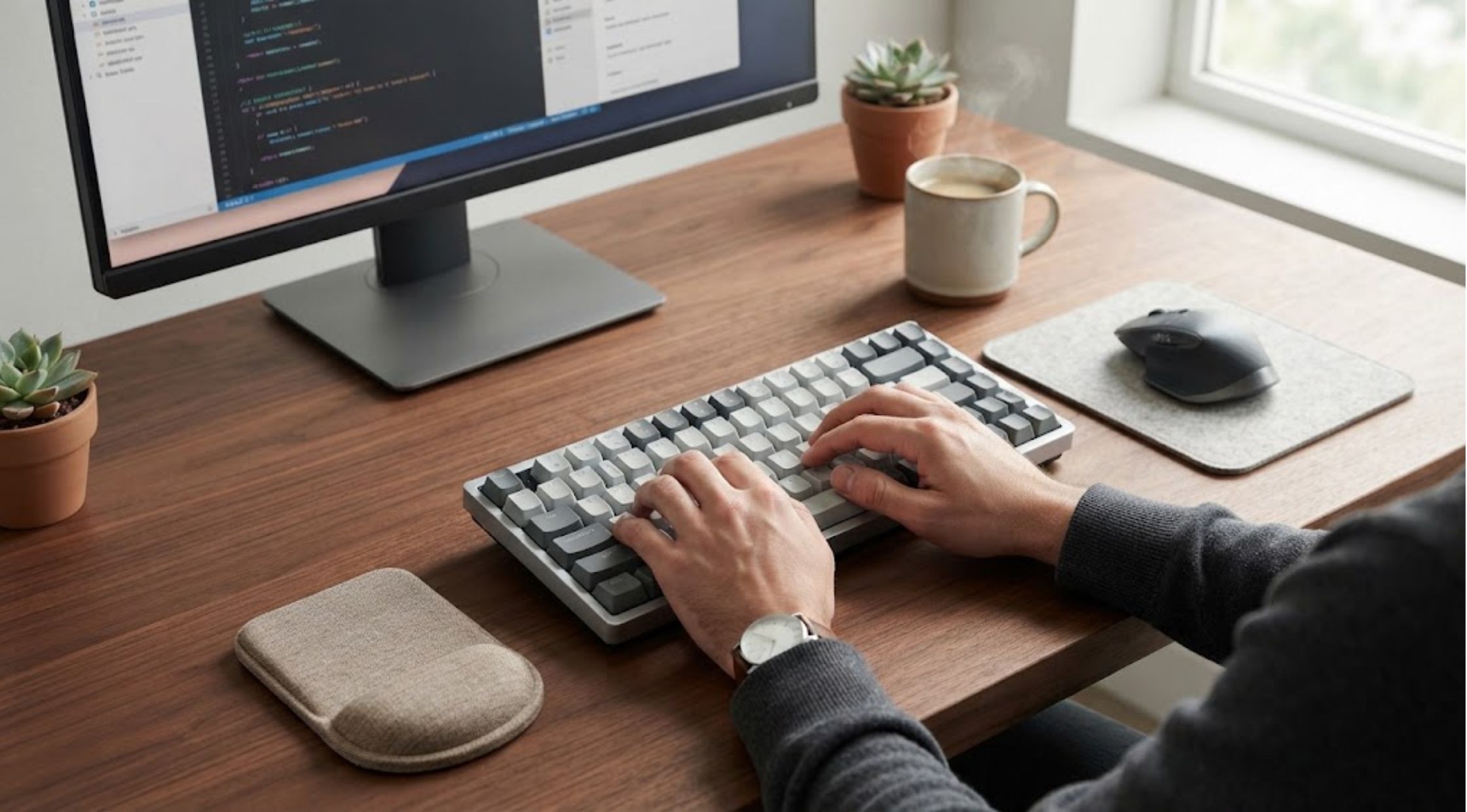
The right keyboard can make a surprising difference.
Struggling with slow typing, uncomfortable keys, or a keyboard that makes work sessions feel tiring? The right keyboard can make a surprising difference. Whether you work from home, study for hours, create content, or spend evenings gaming, poor equipment can affect comfort. Fortunately, choosing better keyboards does not have to feel complicated. With a few practical considerations, you can find a setup that feels natural and performs consistently.
Common Keyboard Problems That Affect Your Daily Work
Many people continue using old keyboards even when those keyboards no longer meet their needs. Over time, worn-out keys, inconsistent switches, and uncomfortable layouts can become frustrating. One common problem involves keys that feel too stiff or too soft. Every keystroke can require extra effort, making long typing sessions quickly uncomfortable. Meanwhile, overly sensitive keys may cause accidental presses and typing mistakes.
Another issue involves poor ergonomics. A flat or cramped keyboard can force your hands and wrists into awkward positions. As a result, you may experience fatigue after spending several hours at your desk. Connectivity can also create problems. Wired keyboards can limit desk flexibility, while unreliable wireless connections can interrupt important tasks. Additionally, some users outgrow basic keyboards when they start demanding better performance and customization.
Why Does Your Keyboard Feel Uncomfortable?
The problem often starts when people choose keyboards based only on appearance or price. Although those factors matter, they should not become your only considerations. First, consider the keyboard's switch type. Mechanical switches provide different resistance levels, feedback, and sound. Therefore, your ideal option depends on your priorities. You might value quiet typing, fast responses, or tactile feedback. Next, examine the keyboard layout. Full-size models include a number pad, while compact layouts save valuable desk space. A smaller option may work better if you rarely use dedicated number keys.
Key height and spacing also influence comfort. Cramped keys can cause more mistakes during fast typing. Similarly, an unfamiliar layout can slow you down while you develop muscle memory. Finally, consider how you use your computer. Writers may prioritize comfortable and consistent keystrokes. Programmers may prefer customization and shortcut access. Meanwhile, gamers often seek responsive switches and reliable connectivity.
Practical Ways to Improve Your Typing Experience
You do not always need to replace your keyboard immediately. Instead, evaluate your current setup and identify what bothers you most.
- Adjust your typing position. Keep your wrists relaxed and avoid bending them sharply upward. Position the keyboard so you can reach keys without stretching your fingers.
- Choose the right layout. If your desk feels crowded, consider a compact or tenkeyless keyboard. However, keep a full-size model if you regularly work with numbers.
- Explore different switches. Mechanical keyboards offer various switch characteristics. Try identifying whether you prefer tactile feedback, smooth movement, or quieter operation.
- Check connectivity options. A wireless keyboard can reduce cable clutter and provide greater flexibility. However, ensure it offers dependable connectivity for your typical workflow.
- Consider customization. Hot-swappable switches, programmable keys, and customizable layouts can help you create a more personalized setup.
- Think about long-term value. Instead of selecting the cheapest option available, consider durability, typing comfort, features, and build quality together.
These simple steps can help you avoid buying another keyboard that eventually becomes uncomfortable or limiting.
When Upgrading to Premium Keyboards Makes Sense
Sometimes, adjusting your workspace does not provide enough improvement. If you type every day, a quality keyboard can become important. It can serve as a key part of your workstation rather than another accessory.
Premium keyboards typically focus more closely on construction, switch quality, customization, and overall usability. They can provide a more consistent experience while offering features that basic models often lack. For users seeking productivity, customization, and modern design, Keychron is worth considering. Its keyboard range includes different layouts and configurations, making matching easier.
However, do not choose a premium model simply because it offers more features. Instead, identify the features you will actually use. A compact layout, hot-swappable switches, wireless connectivity, or programmable keys can provide genuine value.
How the Right Keyboard Can Improve Your Routine
The biggest advantage of upgrading involves more than simply creating a better-looking desk. A suitable keyboard can make everyday computer use feel more comfortable and efficient. For example, consistent switches can make typing feel more predictable. This consistency can help you maintain a steady rhythm during long writing or coding sessions. A comfortable layout can also reduce unnecessary hand movement. Consequently, you may access frequently used keys more easily without constantly repositioning your hands.
Customization offers another advantage. Some premium keyboards allow users to change switches, keycaps, or layouts. This flexibility lets you gradually adapt the keyboard as your preferences change. Wireless functionality can further improve your workspace. Removing unnecessary cables creates a cleaner setup and gives you more freedom.
For people who spend many hours at a computer, these small improvements can add up. Keychron models, for example, can appeal to users seeking flexibility. They can provide that flexibility without requiring highly specialized equipment.
What to Look for Before Buying
Before purchasing new keyboards, create a simple checklist based on your daily needs. Ask yourself whether you need a full-size, compact, or tenkeyless layout. Then decide whether you prefer tactile, linear, or quieter switches. Consider wired versus wireless connectivity and determine whether customization matters. Build quality also deserves attention. A sturdy keyboard can feel more stable during fast typing and may provide better long-term value.
Finally, consider your budget alongside your usage. Someone typing for several hours daily may benefit more from quality keyboards. Meanwhile, occasional computer users may not need the same investment.
If you are searching for a que keyboard that feels more personalized than a basic office model, focus on specific features. Those features should solve your particular problems. Avoid paying extra for specifications that will not improve your daily experience.
Conclusion
Choosing the right keyboard starts with understanding what currently frustrates you. Your issue may involve uncomfortable keys, limited space, poor connectivity, or insufficient customization. Therefore, the right solution should address that specific problem.
Premium options can offer better construction, flexibility, and typing experiences when you use those features regularly. Keychron provides one option for people moving beyond basic keyboards. It also maintains a practical and customizable setup.
Ultimately, the best choice is not necessarily the most expensive model. Instead, choose the keyboard that fits your hands, workspace, habits, and everyday requirements. Take time to identify those needs and compare your options. Then, choose a setup that makes every keystroke feel more comfortable and purposeful.
live smarter
Shop smarter, live better, and stay ahead of the trends with our reliable recommendations!

Health and Beauty
6 min read
Unlock Cellular Vitality with Fatty15 C15:0 Supplement: The Ultimate Fatty Acid Supplement for Liver Health and Longevity

Health and Beauty
6 min read
Spicy Cubes: The Sweet-Heat Aphrodisiac Gummies That Turn Up the Passion




trending
Gadgets and Tech
5 min read
How to Choose the Right Snapmaker 3D Printing Setup
Gadgets and Tech
2 min read
Gadgets and Tech Innovations That Shape Smart Living and the Digital Future
Gadgets and Tech
2 min read
Gadgets and Tech Innovations That Drive Smart Living and Digital Progress
Gadgets and Tech
2 min read
Gadgets and Tech Trends That Transform Modern Living and Digital Innovation
Gadgets and Tech
2 min read